01
Multi-format viewer
Inspect PDF, Excel, CSV, Word, PowerPoint, image, text, and email support in the browser.
Open common audit evidence formats in a connected workspace, navigate by phase and sample, and move from a test citation directly to the underlying support.
Control test · Interim
Journal entry approval
Approval evidence is dated before posting
Workbook · Sheet 1 · G14
Approver has delegated authority
Policy PDF · page 6
Exception receives documented follow-up
Sample 03 · follow-up draft
Lean teams feel every broken handoff because the same person often has to reconstruct the context.
Each step produces structured context for the next—so automation can act on the actual audit record.
View the source file from its request, test, or sample.
Move across workpapers, samples, and testing phases.
Add or draft source-positioned tickmarks and notes.
Keep test notes and workpaper conclusions synchronized.
Resolve comments and retain sign-off history.
Every capability below is present in the current product; roadmap concepts are intentionally excluded.
Inspect PDF, Excel, CSV, Word, PowerPoint, image, text, and email support in the browser.
Group evidence by sample and open it from the testing memo or request.
Draft citations and tickmarks at PDF coordinates or spreadsheet cells for auditor review.
Preserve workbook tabs, formulas, search, annotation, and undo/redo context.
Move between the testing sheet and the workpaper that supports a result.
Save replacements, annotations, and exports without losing the linked audit record.
Smart annotation uses test citations and evidence context to locate relevant areas in PDFs and spreadsheets. Annotations remain reviewable and tied to the workpaper.
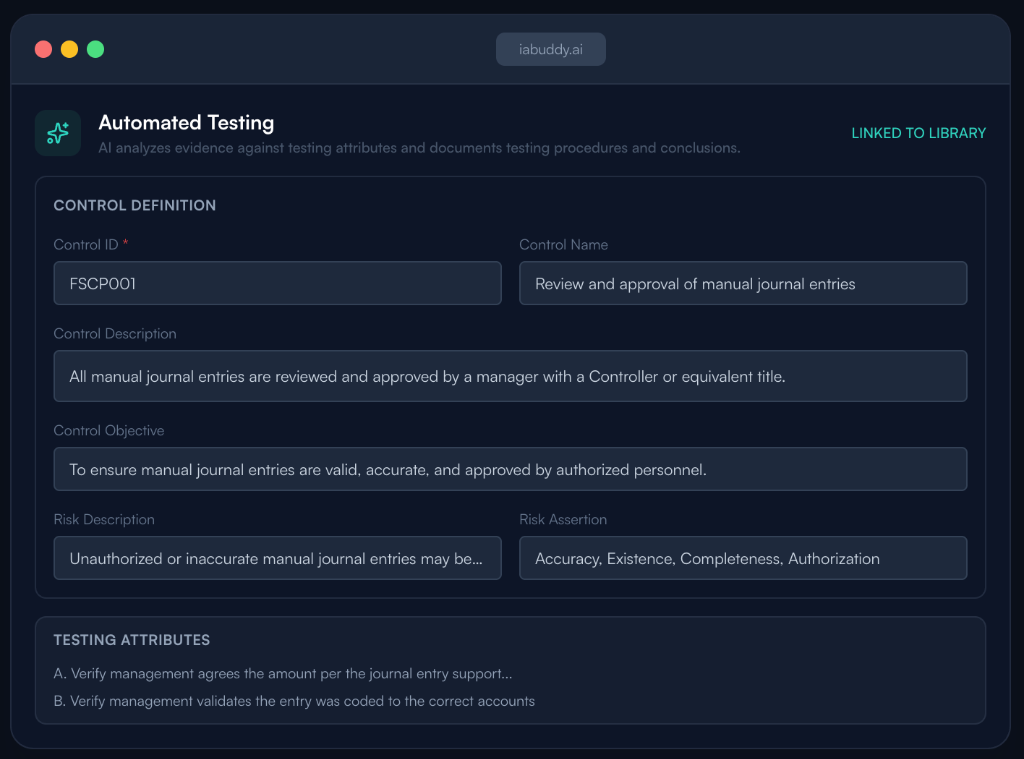
The reviewer opens Sample 07 from the memo, navigates to the invoice PDF and approval spreadsheet, and follows the cited page and cell. A smart tickmark explains the match. The reviewer updates the annotation, resolves the comment, and completes review without downloading or renaming a file.
Audit workpaper software organizes the evidence, procedures, results, annotations, conclusions, and review history supporting an audit test. IABuddy links those records to the control, phase, PBC request, and sample that produced them.
Yes. IABuddy keeps test results tied to files, sample rows, and available page, sheet, or cell references so a reviewer can inspect the source in the workpaper workflow.
Bring one control, one testing phase, or one evidence workflow. We’ll show you how it runs from plan to reviewed result.